E-Stamp Paper Punjab — Easy Step-by-Step Guide to Challan 32-A, Payment, Verification & Refund 2026
This is not an official Government of Punjab website. This guide is independent, general information about the E-Stamp Paper Punjab system. For official information, always check the PLRA e-stamp portal at es.punjab-zameen.gov.pk before you act. Pay only through the official challan — never through an agent.
What Is the E-Stamp Paper Punjab System?
The E-Stamp Paper Punjab system is how stamp duty is paid in Punjab. Instead of buying a paper stamp from a vendor, you fill in an online challan on the PLRA portal, pay it at a bank, and get a stamp paper with its own number and QR code that anyone can check. The portal is es.punjab-zameen.gov.pk, a project of the Board of Revenue and the Punjab Land Records Authority (PLRA), run with the Bank of Punjab. No account is needed to generate the challan — you fill in the form, print the challan, pay, and print your e-stamp paper.
The E-Stamp Paper Punjab system covers the stamp duty on property deeds, affidavits, agreements and other documents. The most common use is a sale deed, called a conveyance: when you buy property, the deed must be stamped, and the duty is now 1% of the property value across Punjab, since the Stamp (Amendment) Ordinance of April 2026. The portal works the duty out for you — you enter the deed type and the value, and it tells you what to pay. A value below the official DC value is charged on the DC value, not on the lower figure you wrote.
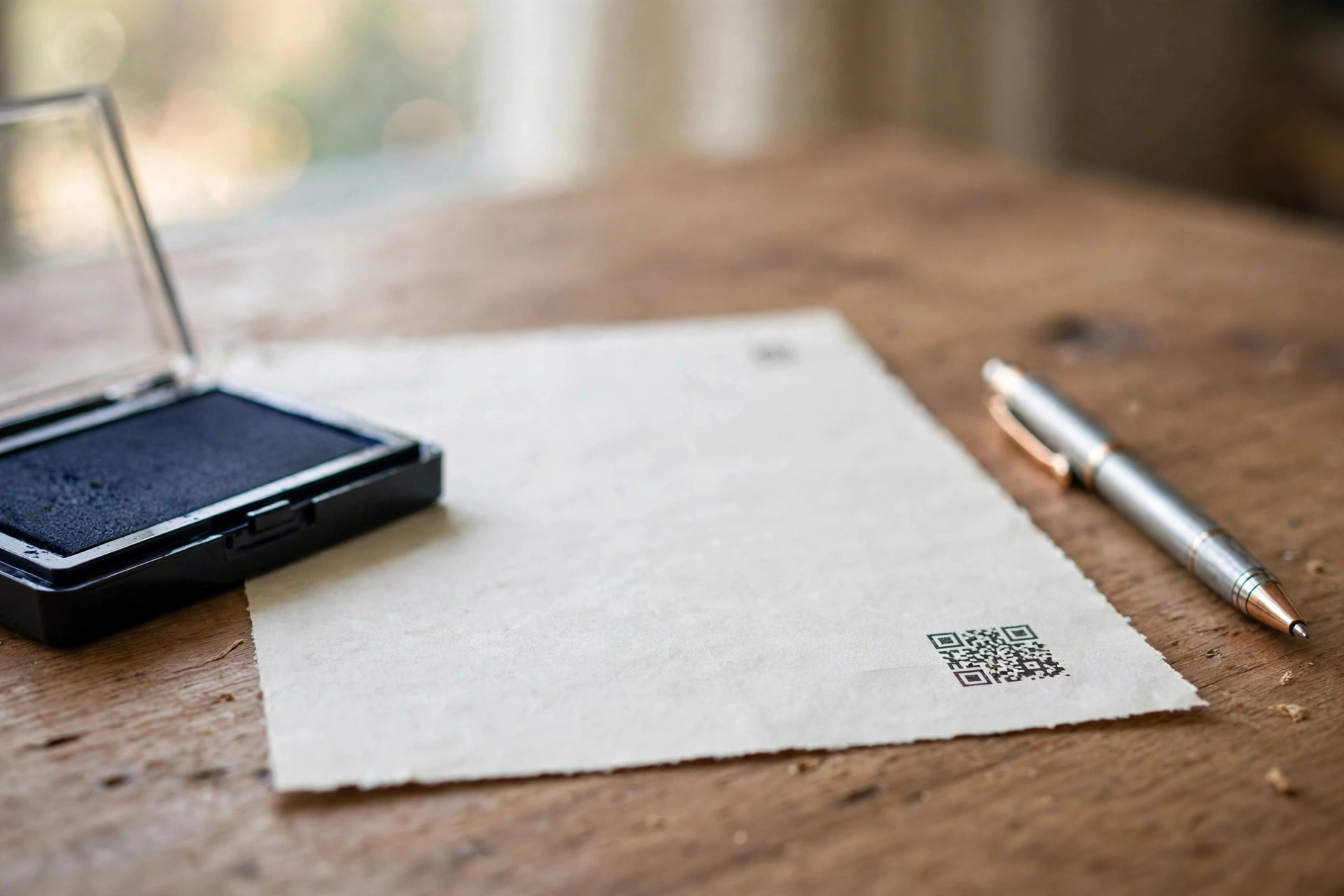
The E-Stamp Paper Punjab paper itself carries a unique 16-digit number and a QR code. That number is the stamp’s identity. Anyone — a buyer, a bank, a court — can check it on the portal or by SMS, and the check is free. A fake stamp paper has no real number, or a number that does not match the portal. That is why the system exists: a paper stamp could be forged, but a number on the government’s own portal cannot be faked the same way.
Example — the buyer who checked before paying: A man in Lahore was buying a house. The seller showed him a stamp paper for the deed. Before paying, the buyer sent “eStamp” followed by the 16-digit number to 8100. The reply confirmed the stamp was genuine and matched the deed. He paid with confidence, because the number checked out.
Example — the affidavit that needed Rs 300: A woman in Rawalpindi needed an affidavit and bought a Rs 100 stamp paper, because that was what she had always used. The office refused it. An affidavit needs a Rs 300 stamp paper — Rs 100 is not accepted for affidavits, under the Punjab Finance Act 2024. She generated a new Rs 300 e-stamp on the portal and her affidavit was accepted the same day.
E-Stamp Paper Punjab vs Fard vs Intiqal — Do Not Confuse Them
Three land documents, three different jobs. The box below keeps them apart.
| Document | What it does | Where you get it |
|---|---|---|
| Fard | Proves who owns the land right now | Arazi Record Centre / PLRA portal |
| Intiqal (mutation) | Changes the ownership record to a new owner | Arazi Record Centre, after the deed |
| E-Stamp Paper Punjab | Pays the stamp duty on the deed itself | es.punjab-zameen.gov.pk, then Bank of Punjab |
A Fard proves ownership. An Intiqal changes it. An E-Stamp Paper Punjab pays the duty on the deed that causes the change. You will often need all three for one property deal: the e-stamp for the deed, the Fard to prove the seller owns it, and the Intiqal to move the record to your name. Our guide to the Punjab land record Fard explains the Fard, and our guide to Punjab land mutation (Intiqal) explains the mutation. This guide is only about the stamp paper.
How to Generate an E-Stamp Paper Punjab Challan 32-A
The E-Stamp Paper Punjab challan is called Challan Form 32-A. Generating it takes a few minutes, and you need no account.
Step 1: Open the Portal
Open es.punjab-zameen.gov.pk on your phone or computer. The portal is the official one — check the address carefully before you enter any details. If the portal does not load, try again later; do not use a look-alike site, and do not pay anyone to generate the challan for you.
Step 2: Choose the Deed Type and Enter the Details
Choose the type of document — for a sale deed, choose conveyance. Enter the property value, the parties’ names and CNIC numbers, and the district. The portal calculates the duty. For a conveyance, the duty is 1% of the value across Punjab. For an affidavit, choose the affidavit option and the duty is the fixed Rs 300 stamp paper.
Step 3: Generate and Print Challan 32-A
The portal generates Challan Form 32-A with a PSID — a payment slip ID. Print it, or save it on your phone. The challan is usually valid for 90 days, so pay within that time. If the challan expires, generate a fresh one — do not try to pay an expired challan.
Step 4: Pay at the Bank of Punjab
Pay at any Bank of Punjab branch, or online by PSID through your bank’s app or internet banking. Keep the payment receipt. The bank’s payment is what activates the stamp paper — an unpaid challan is not a stamp paper.
Step 5: Print Your E-Stamp Paper
After payment, return to the portal and print your e-stamp paper. It carries the unique 16-digit number and the QR code. Check both are printed clearly. The paper is now valid, and the deed can be written on it.
How to Verify an E-Stamp Paper Punjab Stamp
Verification is free, and you should do it before you rely on any stamp paper. The E-Stamp Paper Punjab check has three routes, and all three use the same 16-digit number.
First, on the portal: open es.punjab-zameen.gov.pk, enter the 16-digit stamp number or scan the QR code, and the portal shows whether the stamp is genuine and what deed it belongs to. Second, by SMS: send “eStamp” followed by the 16-digit number to 8100, and the reply confirms the stamp. Third, for your own challans: send “Challan” followed by your CNIC to 8100, and the reply lists your last two paid challans. Use any of the three — the portal is the fullest check, the SMS is the fastest.
A genuine stamp paper matches the portal exactly: the same number, the same deed type, the same value, the same parties. If the SMS reply says the number does not exist, or the portal shows a different deed, do not use the paper. A mismatch means the paper is fake, or the number was typed wrong — check the digits first, then treat a real mismatch as a fake. Never pay for a property on the strength of an unverified stamp paper.
The E-Stamp Paper Punjab helpline is (042) 111-22-22-77, Monday to Saturday, 8am to 5pm. Call it if the portal will not verify a stamp you believe is genuine, or if a payment has not activated your paper. Keep your challan number and CNIC ready when you call.
E-Stamp Paper Punjab Fees and Duty — The Table
The table below gives the common E-Stamp Paper Punjab amounts. The portal calculates the exact duty for your deed, so treat these as the rules, not as a substitute for the portal’s figure.
| Item | Amount |
|---|---|
| Conveyance (sale deed) duty | 1% of property value (DC value if higher) |
| Affidavit stamp paper | Rs 300 (Rs 100 not accepted) |
| Non-judicial paper below Rs 500 | From stamp vendors, not e-stamping |
| Challan validity | Usually 90 days |
| Verification (portal or SMS 8100) | Free |
| Refund of unused stamp | Value less 10% (Stamp Act ss.53/54) |
Non-judicial stamp paper below Rs 500 still comes from stamp vendors, not from e-stamping. That is the one case where the old paper system still applies. Everything above that, and every deed, goes through the portal. If a vendor offers you an e-stamp paper for cash, walk away — e-stamps are generated on the portal and paid at the bank, never bought from a vendor’s drawer.
How to Claim an E-Stamp Paper Punjab Refund
A refund is claimed from the Collector under the Stamp Act 1899, as it applies in Punjab. The Act sets the cases and the time limits, and the Collector decides. The E-Stamp Paper Punjab refund rules are:
- Spoiled before use (s.49(a), (b)): a stamp rendered unfit before any document is written on it, or a document not signed or executed by any party. Apply under s.50 within six months after the stamp was spoiled.
- A signed deed that failed (s.49(d)): for example a deed found absolutely void in law, or one a party refuses to sign. Apply under s.50 within two months of the date of the instrument.
- Not needed (s.54): stamps bought with a genuine intention to use them, handed back within the six months before that day. The Collector repays their value deducting ten per cent.
- Payment (s.53): for a spoiled or misused stamp, the refund is given in other stamps or, at the Collector’s discretion, in money, deducting ten per cent.
- Late claims (s.50-A): inserted by the Stamp (Amendment) Act 2025, the Chief Revenue Authority may allow a refund within two years to a person who was not in possession of the stamp, was in jail or hospital, or was out of the country.
The steps follow rule 11 of the Punjab e-Stamp Rules 2016: fill in the refund form, attach the stamp paper and the challan, and submit it to the Collector of your district. Keep copies of everything. The refund is the stamp’s value less 10% — the 10% is the law’s deduction, not a fee anyone can waive. If your claim is within the time limit and the stamp is genuinely unused or spoiled, the Collector must consider it. If it is late, the two-year route under s.50-A is the only one, and only for the reasons the section names.
Common Problems — and What to Do
The Portal Will Not Load
If es.punjab-zameen.gov.pk does not load, wait and try again. The portal has busy hours, and government sites sometimes go down. Do not use a look-alike site, and do not pay an agent to “generate it offline”. If the portal stays down for a day, call the helpline (042) 111-22-22-77 and ask whether there is a problem.
Your Payment Has Not Activated the Stamp Paper
If you paid but the portal still shows the challan unpaid, first check that you paid the right PSID — one wrong digit sends the money to the wrong challan. Then check with the Bank of Punjab branch or your bank’s app that the payment went through. If the payment is confirmed but the paper is still not active, call the helpline with your challan number and payment receipt.
The Stamp Number Does Not Verify
If the SMS or portal says the 16-digit number does not exist, check the digits first — a single wrong digit is the most common cause. If the digits are right and the number still does not verify, the paper is not genuine. Do not use it, and do not pay for the property it was meant to stamp. Report it to the PLRA office or the helpline.
Your Challan Expired Before You Paid
A challan is usually valid for 90 days. If it expired, generate a fresh Challan 32-A on the portal. The old one cannot be paid. Do not let anyone charge you a fee to “renew” an expired challan — a new challan is free to generate.
You Were Sold a Fake Stamp Paper
If you were sold a paper stamp that turns out to be fake, keep the paper and the receipt, and report it to the police and the PLRA office. A fake stamp paper is a criminal matter, not just a bad purchase. For future deeds, generate the e-stamp yourself on the portal — it is the only way to be sure.
The SMS Reply Says the Number Does Not Exist
If you send the stamp number to 8100 and the reply says the number does not exist, do not panic — and do not pay anyone to “fix” it. First, check that you typed the number exactly as printed, including every digit and letter, with no spaces. A single wrong character is the most common cause. Second, check that the stamp is an e-stamp paper from the Punjab e-stamping system — a stamp bought from a vendor outside the system will not be in the database, and no SMS will find it.
Third, try the QR code on the portal instead of the SMS, because the two checks use the same record and the QR scan removes typing errors. If both checks fail and the stamp came from the portal and the Bank of Punjab, take the printed stamp and the Challan 32-A to the Bank of Punjab branch where you paid, and ask them to confirm the payment. Keep the receipt — it is the proof that ties your payment to the stamp number.
E-Stamp Paper Punjab — Mistakes That Cost You Money
The first mistake is using a Rs 100 paper for an affidavit. Affidavits need Rs 300. A Rs 100 affidavit will be refused, and you will pay twice — once for the wrong paper, once for the right one. Check the amount before you generate the challan.
The second mistake is not verifying the stamp before you pay for a property. A deed on a fake stamp paper is worthless, and the money you paid for the property may be lost with it. Verification is free and takes a minute. There is no excuse for skipping it.
The third mistake is letting the challan expire. Ninety days sounds long, but property deals drag. Generate the challan when you are ready to pay, not weeks before. An expired challan means starting over, and a delayed deal can cost you the property.
The fourth mistake is paying an agent to generate the challan. The portal needs no account and no agent. The challan is free to generate, and the only payment is the duty itself, at the bank. Money paid to an agent is money lost, and an agent-generated challan may carry the wrong details.
The fifth mistake is missing the refund deadline. A spoiled stamp must be claimed within six months, a failed deed within two months. After that, only the narrow two-year route under s.50-A is open, and only for the reasons it names. Mark the date on the challan the day you get it.
Your E-Stamp Paper Punjab Checklist
- I know the official portal is es.punjab-zameen.gov.pk, and I will type it myself.
- I know a conveyance pays 1% duty, and an affidavit needs a Rs 300 stamp paper.
- I know the challan is Form 32-A, paid at the Bank of Punjab or online by PSID, and usually valid 90 days.
- I know every e-stamp carries a unique 16-digit number and a QR code.
- I will verify every stamp paper on the portal or by SMS “eStamp <number>” to 8100 before I rely on it.
- I know the helpline is (042) 111-22-22-77, Monday to Saturday, 8am to 5pm.
- I know a refund is claimed from the Collector under the Stamp Act, within six months (spoiled) or two months (failed deed), less 10%.
- I will never buy an e-stamp from a vendor or pay an agent to generate a challan.
Common Questions
What is the E-Stamp Paper Punjab system? The E-Stamp Paper Punjab system is how stamp duty is paid in Punjab: you generate Challan Form 32-A on the PLRA portal es.punjab-zameen.gov.pk, pay at the Bank of Punjab, and print a stamp paper with a unique 16-digit number and QR code.
How much is the stamp duty on a sale deed? Conveyance duty is 1% of the property value across Punjab, since the Stamp (Amendment) Ordinance of April 2026. A value below the DC value is charged on the DC value. The portal calculates the exact duty.
How much stamp paper does an affidavit need? An affidavit needs a Rs 300 stamp paper. Rs 100 is not accepted for affidavits, under the Punjab Finance Act 2024.
How do I verify an e-stamp paper? Enter the 16-digit number or scan the QR code on es.punjab-zameen.gov.pk, or send “eStamp” followed by the 16-digit number by SMS to 8100. Both are free. To see your last two paid challans, send “Challan” followed by your CNIC to 8100.
How long is a challan valid? A challan is usually valid for 90 days. Pay within that time, or generate a fresh Challan 32-A.
How do I claim a refund for an unused e-stamp? Claim it from the Collector under the Stamp Act: within six months for a spoiled or unused stamp, within two months for a failed deed. The refund is the stamp’s value less 10%.
What is the e-stamp helpline number? The helpline is (042) 111-22-22-77, Monday to Saturday, 8am to 5pm.
Can I buy e-stamp paper from a stamp vendor? No. E-stamps are generated on the portal and paid at the bank. Only non-judicial paper below Rs 500 still comes from stamp vendors.
Conclusion
The E-Stamp Paper Punjab system is simple once you know the steps: generate Challan 32-A on es.punjab-zameen.gov.pk, pay at the Bank of Punjab, print the paper, and verify the 16-digit number before you rely on it. The duty on a sale deed is 1%, an affidavit needs Rs 300, and a refund is the value less 10% if you claim it in time. Do not buy e-stamps from a vendor, do not pay an agent to generate a challan, and never trust a stamp paper you have not verified. The number on the portal is the proof — check it first, pay second.
If you are buying property, our guide to the Punjab land record Fard explains how to prove the seller owns it, and our guide to Punjab land mutation (Intiqal) explains how to move the record to your name — and if you are transferring a vehicle as part of the same move, our guide to Punjab vehicle transfer explains the PSID payment there too.