
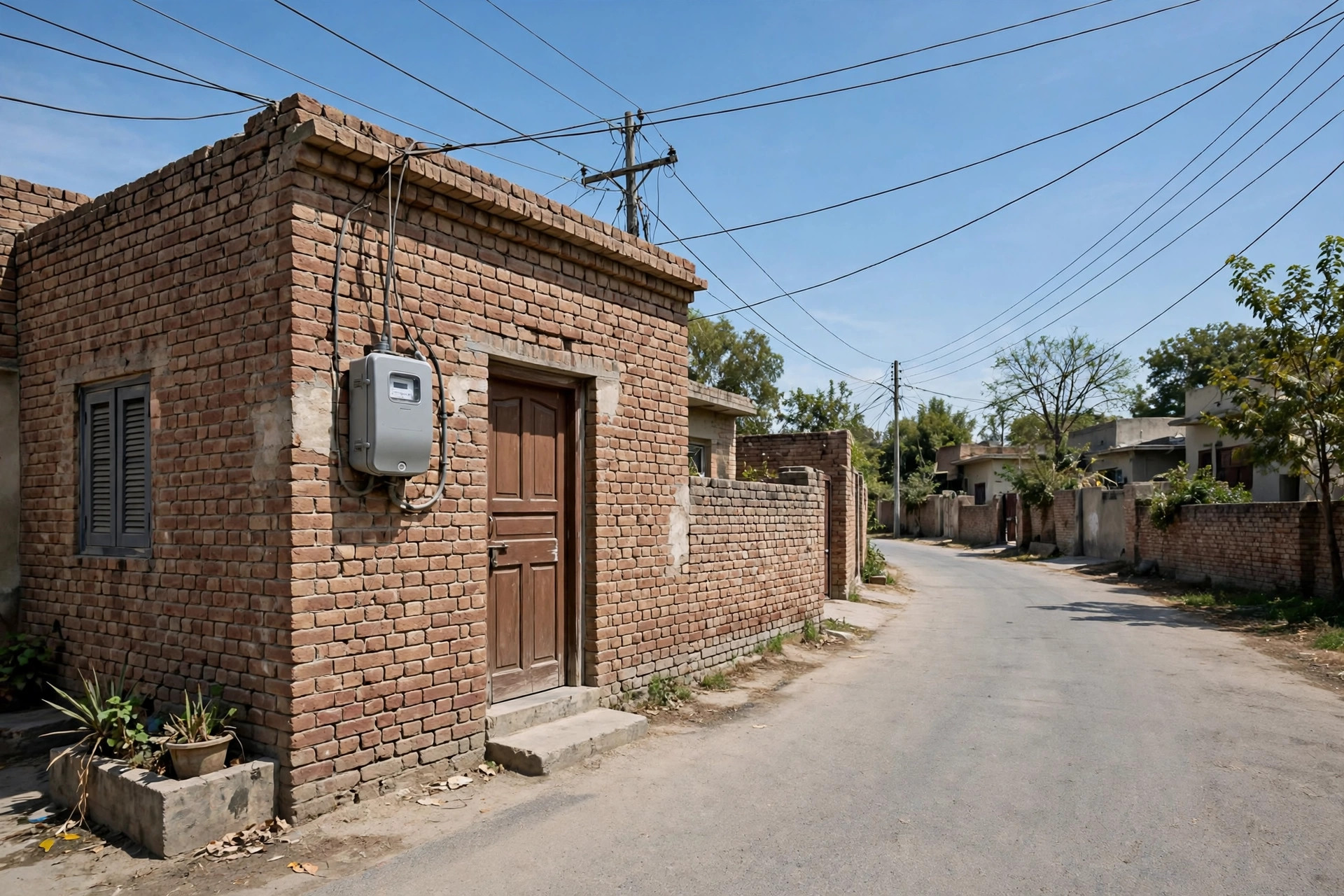
LESCO New Connection — Easy Step-by-Step Guide to Apply Online, Documents, Fee & 30-Day Timeline 2026
This is not an official LESCO website. This guide is independent, general information about the LESCO New Connection process. For official information, always check the ENC portal at enc.com.pk or LESCO at lesco.gov.pk before you apply. Pay only through the official demand notice — never through an agent.
What Is a LESCO New Connection?
A LESCO New Connection is a new electricity connection from the Lahore Electric Supply Company — the power company for Lahore, Kasur, Okara, Sheikhupura and Nankana Sahib. If you have built a house, bought a plot, or opened a shop in one of these districts and there is no meter yet, you need a new connection. The application is made online on the ENC portal — the Electricity New Connection portal at enc.com.pk, linked from lesco.gov.pk — or on paper at your LESCO sub-division office.
The LESCO New Connection process has a fixed shape: you apply, LESCO checks your documents, LESCO issues a demand notice with the security deposit and other charges, you pay it within 30 days, and then LESCO has 30 days to connect you — for a home load up to 15 kW, under the NEPRA rules. The whole process, from application to a live meter, should take about two months if nothing goes wrong. Most delays come from wrong documents, not from LESCO: a blurry CNIC, a missing test report, or a wrong reference number sends the file back, and the clock restarts.
The LESCO New Connection deposit is the part people ask about most. In Lahore, the security deposit is Rs 1,220 per kW of sanctioned load. A home with a 5 kW load pays Rs 6,100 as deposit. A home with a 10 kW load pays Rs 12,200. The deposit is refundable — it is LESCO’s security against unpaid bills, not a fee — and it is returned when the connection is closed properly. The demand notice also carries other charges, such as the meter cost and service charges, which the portal shows you before you pay.
Example — the family that built a house in Lahore: A family in Lahore finished building their house and applied for a LESCO New Connection on the ENC portal. They uploaded their property document, CNIC, witness CNIC, neighbour’s bill and wiring test report. LESCO issued the demand notice in two weeks. They paid Rs 6,100 deposit for a 5 kW load, plus the meter charges, and the meter was installed within 30 days of payment.
Example — the shopkeeper who used the wrong reference number: A shopkeeper in Kasur applied online but typed his neighbour’s reference number wrong by one digit. The application went to the wrong record and was returned. He corrected the number — all 14 digits, copied from the neighbour’s bill — and the application went through. One digit cost him three weeks.
Before You Apply for a LESCO New Connection
The LESCO New Connection application needs five files, and each one must be right. Get them ready before you open the portal, because an incomplete application is the most common reason for delay.
First, the property document — the proof that the property is yours, or that you have the right to a connection there. A sale deed, an allotment letter, or a rent agreement with the owner’s consent, depending on your situation. Second, your attested CNIC — attested means a gazetted officer or a notary has stamped it, and the copy must be clear.
Third, the witness’s attested CNIC — a witness who confirms your identity and address. Fourth, your neighbour’s bill — the bill of a neighbour whose house already has a LESCO connection, used to locate your property on LESCO’s network. Fifth, the wiring contractor’s test report — the report from a licensed wiring contractor that your house wiring is safe and ready.
Each file must be up to 300 KB. That is small — a phone photo is usually much bigger. Compress each file before you upload it, or the portal will refuse it. Check every file is readable after compression: a blurry CNIC is as useless as a missing one. The neighbour’s bill is the file people get wrong most often: it must be the bill of a neighbour on the same street, and you need the 14-digit reference number from that bill — all 14 digits, copied exactly. A single wrong digit sends your application to the wrong record.
The LESCO New Connection application also needs the load you want — how many kW your home or shop will use. A small home usually needs 5 kW. A larger home with air conditioners may need 10 kW. The load decides your deposit: Rs 1,220 per kW in Lahore. Do not ask for more load than you need — a bigger load means a bigger deposit — but do not ask for less than you will use, or the meter will trip when you switch everything on. If you are unsure, ask your wiring contractor what load your wiring supports.
Choosing the load is worth a few minutes of thought, because it is the one decision you cannot easily change later. A home that starts at 5 kW and later adds two air conditioners will need a load enhancement — a separate application, a separate fee, and another wait. A shop that starts at 10 kW and only uses 3 kW has paid for capacity it never uses.
Walk through your home with your contractor: count the fans, the lights, the fridge, the water pump, the air conditioners, and the iron. Add them up, and ask the contractor to convert the total into kW. The number he gives you is your load. Write it down, and use the same number on the application — the load on the form must match the load your wiring is built for, or LESCO may question it.
What the Demand Notice Looks Like
The demand notice is the bill LESCO sends you after it accepts your application, and it is the document that turns your application into a connection. It carries your name, your address, the load you applied for, and the amount to pay — the deposit at Rs 1,220 per kW, plus the connection and meter charges. In Lahore, a 5 kW home connection typically totals around Rs 11,000–12,000, and a 10 kW connection around Rs 17,000–18,000, but your notice may differ if your load or your area’s charges differ.
Read every line before you pay: the reference number on the notice is the number you will pay against, and a wrong digit sends the money to the wrong account. Pay at a bank, through the ENC portal’s payment link, or through a mobile banking app that accepts the reference number — and keep the receipt. The receipt is your proof of payment, and you will need it if the meter is late. The 30-day deadline runs from the date on the notice, not from the day it reaches you, so check the date first and pay early if you can.
How to Apply for a LESCO New Connection — Step by Step
The LESCO New Connection application is made on the ENC portal, and the steps below follow the official route.
Step 1: Open the ENC Portal
Open enc.com.pk — the Electricity New Connection portal, linked from lesco.gov.pk. If the portal does not load, try again later, and check lesco.gov.pk for any announcement. Do not use a third-party site that offers to apply for you. Note that FESCO, the Faisalabad company, moved its applications to a mobile app in April 2026 — if LESCO announces a similar change, follow lesco.gov.pk, not a third-party site.
Step 2: Create an Account and Fill the Form
Create an account on the ENC portal with your mobile number, CNIC and email. Fill in the form: your name, address, the property details, and the load you want. Enter your neighbour’s 14-digit reference number from their bill, exactly as printed. Double-check every digit before you submit — the reference number is how LESCO finds your property.
Step 3: Upload the Five Files
Upload the five files: property document, your attested CNIC, the witness’s attested CNIC, the neighbour’s bill, and the wiring contractor’s test report. Each file must be up to 300 KB. Check each upload succeeded and is readable. If the portal rejects a file, compress it and try again — do not skip the file.
Step 4: Submit and Note Your Tracking ID
Submit the application and save your tracking ID. The tracking ID is how you follow the application — on the ENC portal, you can track the status, print the demand notice and pay it, all with the tracking ID. Write it down, and keep it safe. Without it, you cannot follow up.
Step 5: Wait for the Demand Notice
LESCO checks your documents and, if they are right, issues a demand notice. The notice lists the security deposit — Rs 1,220 per kW in Lahore — plus the meter cost and other charges. If your documents are wrong, LESCO returns the application with a note saying what to fix. Fix it and resubmit; the tracking ID stays the same.
Step 6: Pay the Demand Notice Within 30 Days
Pay the demand notice within 30 days of issue. You can pay it on the ENC portal with your tracking ID, or at the bank named on the notice. If 30 days pass without payment, the notice lapses, and you must ask for a fresh one. Do not pay anyone in cash for the demand notice — pay through the official channel and keep the receipt.
Step 7: Wait for the Meter — 30 Days
After you pay, LESCO has 30 days to connect you, for a home load up to 15 kW, under the NEPRA rules. The meter is installed, the connection is tested, and your supply starts. If 30 days pass after payment with no meter, visit your LESCO sub-division office with your tracking ID and payment receipt, and ask for the status.
LESCO New Connection — The Fees
The table below gives the LESCO New Connection charges. The deposit depends on your load, and the other charges are on the demand notice.
| Charge | Amount |
|---|---|
| Security deposit, Lahore | Rs 1,220 per kW |
| Deposit for a 5 kW home load | Rs 6,100 |
| Deposit for a 10 kW home load | Rs 12,200 |
| Meter cost and service charges | As shown on the demand notice |
| Demand notice payment deadline | Within 30 days of issue |
| LESCO connection deadline after payment | 30 days (home load up to 15 kW) |
The security deposit is refundable. It is LESCO’s security against unpaid bills, and it is returned when the connection is closed properly and all bills are paid. The meter cost and service charges are not refundable — they pay for the meter and the installation. The demand notice lists every charge separately, so read it before you pay. If a charge looks wrong — a deposit for a load you did not ask for, or a meter cost far above the usual — ask the sub-division office before you pay, not after.
Common Problems — and What to Do
Your Application Was Returned
If LESCO returns your application, read the note carefully — it says what is wrong. The most common reasons are a blurry CNIC, a missing test report, or a wrong reference number. Fix exactly what the note says, and resubmit with the same tracking ID. Do not submit a fresh application — the old one is still open, and a second one will confuse the record.
The Reference Number Is Wrong
If the neighbour’s reference number is wrong, the application goes to the wrong record. Copy all 14 digits from the neighbour’s bill, exactly as printed. Do not type it from memory. If you are not sure which neighbour’s bill to use, use the house next door on the same street, and ask the neighbour to show you the bill.
The Portal Will Not Upload Your Files
If the portal refuses a file, it is almost always the size — each file must be up to 300 KB. Compress the file and try again. If the file is still refused, check the format: the portal accepts the usual image and PDF formats, not every file type. A phone photo saved as a large JPEG is the most common failure — compress it first.
The Demand Notice Has Not Arrived
If weeks pass with no demand notice, check the status on the ENC portal with your tracking ID. If the status has not moved, visit your LESCO sub-division office with the tracking ID and ask. Bring your documents — the office may need to see them again. Do not pay anyone who promises to “speed up” the notice.
The Meter Has Not Arrived 30 Days After Payment
If 30 days pass after you paid the demand notice and there is still no meter, visit the sub-division office with your tracking ID and payment receipt. Under the NEPRA rules, LESCO has 30 days to connect a home load up to 15 kW after payment. The office must tell you the reason for the delay and a date. If the office will not answer, you can complain to NEPRA — keep your receipts, because a complaint without proof is hard to pursue.
LESCO New Connection — Mistakes That Cost You Money
The first mistake is asking for the wrong load. Too much load means a bigger deposit for power you will never use. Too little load means the meter trips when you switch on the air conditioner. Ask your wiring contractor what load your wiring supports, and apply for that.
The second mistake is a wrong reference number. One digit wrong sends your application to the wrong record, and the delay costs weeks. Copy all 14 digits from the neighbour’s bill, and check them twice before you submit.
The third mistake is uploading blurry files. A blurry CNIC or a dark test report will be returned, and the application restarts. Photograph each document in good light, check it is readable, and compress it to under 300 KB before you upload.
The fourth mistake is missing the 30-day payment deadline. A demand notice unpaid for 30 days lapses, and you must ask for a fresh one — which means another wait. Pay the notice the week you get it, not the week it expires.
The fifth mistake is paying an agent. The application is free to file on the ENC portal, and the only payments are the deposit and charges on the demand notice, paid through official channels. An agent cannot speed up LESCO, and money paid to an agent is money lost.
Your LESCO New Connection Checklist
- I know LESCO covers Lahore, Kasur, Okara, Sheikhupura and Nankana Sahib.
- I know the five files I need: property document, attested CNIC, witness’s attested CNIC, neighbour’s bill, wiring test report — each up to 300 KB.
- I know I need my neighbour’s 14-digit reference number, copied exactly from their bill.
- I know the deposit is Rs 1,220 per kW in Lahore — Rs 6,100 for a 5 kW home.
- I know I must pay the demand notice within 30 days of issue, and LESCO then has 30 days to connect me (home load up to 15 kW).
- I have my tracking ID saved, and I know I can track, print and pay the demand notice on the ENC portal.
- I will never pay an agent to apply, and I will only pay through the official demand notice.
- I know a rooftop solar panel is an alternative worth considering — our solar price guide explains the costs.
Common Questions
What is a LESCO New Connection? A LESCO New Connection is a new electricity connection from the Lahore Electric Supply Company, for Lahore, Kasur, Okara, Sheikhupura and Nankana Sahib. You apply online on the ENC portal at enc.com.pk, or on paper at your LESCO sub-division office.
What documents do I need for a LESCO new connection? Five files: a property document, your attested CNIC, a witness’s attested CNIC, your neighbour’s bill, and a wiring contractor’s test report. Each file must be up to 300 KB. You also need a neighbour’s 14-digit reference number from their bill.
How much is the LESCO security deposit? In Lahore, the security deposit is Rs 1,220 per kW — Rs 6,100 for a 5 kW home load, Rs 12,200 for a 10 kW load. The deposit is refundable when the connection is closed properly.
How long does a LESCO new connection take? After you pay the demand notice, LESCO has 30 days to connect you, for a home load up to 15 kW, under the NEPRA rules. You must pay the demand notice itself within 30 days of issue.
How do I track my LESCO application? Use your tracking ID on the ENC portal at enc.com.pk — you can check the status, print the demand notice and pay it there.
What if my demand notice lapses? A demand notice unpaid for 30 days lapses. Ask your LESCO sub-division office for a fresh one. Pay the notice the week you get it, not the week it expires.
Can I apply for a LESCO connection on paper? Yes. If you cannot apply online, apply on paper at your LESCO sub-division office with the same five documents. The online route on the ENC portal is faster to track.
Is rooftop solar an alternative to a new connection? For some homes, yes — a rooftop solar system can cut your grid use, and a solar tubewell can run a farm pump. Our guides to solar panel prices and the solar tubewell scheme explain the costs and the subsidy.
Conclusion
A LESCO New Connection is a straightforward process if your documents are right: apply on the ENC portal with five files and your neighbour’s 14-digit reference number, pay the demand notice within 30 days — Rs 1,220 per kW deposit in Lahore — and LESCO has 30 days to install your meter. The delays that hurt people are almost always document mistakes: a wrong digit, a blurry CNIC, a file over 300 KB. Get those right, keep your tracking ID safe, and never pay an agent. The connection is yours to apply for, free, on the official portal.
If you are weighing solar instead, our guide to solar panel prices in Punjab explains what a rooftop system costs, and our guide to the Punjab solar tubewell scheme explains the subsidy for farm pumps — and if you need a proof-of-address document for the application, our e-Khidmat Markaz guide explains where to get it.





One Comment