HBL Konnect Login for BISP Payment Check and Withdrawal Guide 2026
This is an independent informational website, not BISP’s official website. For official information, use the 8171 portal or call the BISP helpline.
You searched “HBL Konnect login BISP payment” because you heard your BISP payment comes through it. You found an app. You’re confused. Do you need an account? A password? Is there something you’re missing? The answer: for collecting BISP cash, none of that matters. Skip the app. Skip the account. Skip the login. Just bring your CNIC to a Konnect agent, provide a thumbprint, and collect your money. That’s actually how it works.
But some beneficiaries do open Konnect accounts for other reasons, and some agents have technical issues. So this guide explains what HBL Konnect actually is and what you really need to do.
Quick Answer
HBL Konnect login BISP payment is not required to collect your money. You do not need an HBL Konnect account, app login or password to collect your BISP payment. Bring your original CNIC to a Konnect agent, verify your thumbprint on their biometric device, count your cash and take a receipt. First, confirm your payment is ready by sending your CNIC to 8171 by SMS. For the exact amount for your cycle, check the 8171 portal or your 8171 SMS — BISP announced a revised quarterly amount in March 2026, and different sources report different figures.
What Is HBL Konnect?
Three different things exist under this name: a branchless banking app (for managing accounts, paying bills, transferring money); a payment agent network (small shops that distribute government cash); and a digital wallet (mobile money tied to your SIM). For BISP, you interact with the second one: the agent network. That’s it. The government chose this system because agents are distributed in bazaars and towns (not just city branches). They have biometric machines. They can verify identity and disburse cash locally. If wallet payments apply in your district instead, see our guide to BISP payment through Easypaisa.
Do You Need an HBL Konnect Login BISP Payment Account?
No. The confusion exists because the system is called “Konnect” but most people don’t open Konnect accounts. For payment collection, you need your original CNIC and a biometric thumbprint. A Konnect account is optional.
The Real Payment Process
Step 1: Verify your payment is ready
Don’t show up empty-handed. Check first. Send your 13-digit CNIC to 8171 via SMS. Wait a few minutes. You’ll get a reply: “Eligible”, “Payment Available”, or “Under Verification”. Why: BISP releases payments by district in phases. Your payment might not be ready yet.
Step 2: Find a Konnect agent
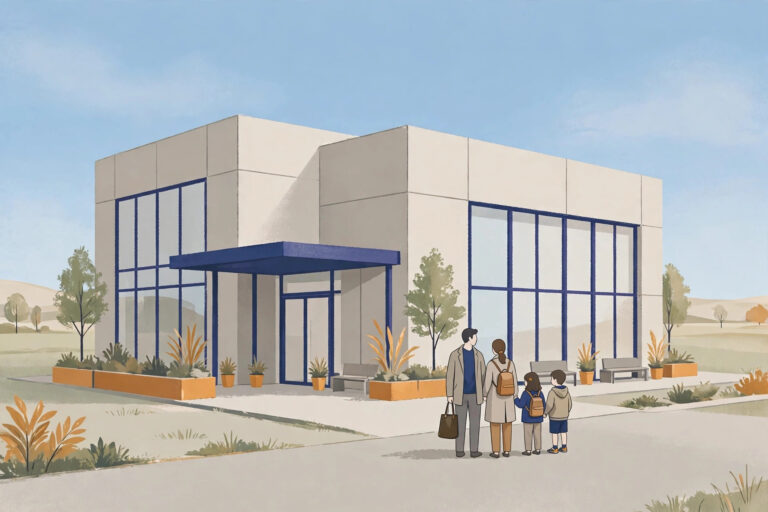
Konnect shops are in bazaars, markets and town centres. Look for the red-and-white Konnect logo. How to find one: ask locals, check small shops near bazaars, or call 0800-26477 for guidance on payment points in your area. Timing tip: the first few days after a payment announcement have long queues. If you can wait, go a few days later.
Step 3: Bring your original CNIC only
A photocopy won’t work. The agent needs to scan it into the government system. If your CNIC is expired: you can’t collect. Get a replacement at NADRA first. NADRA renewal fees vary by processing category and change from time to time, so confirm the current fee at your NADRA office before you go.
Step 4: Biometric verification
Place your thumb on the agent’s scanner. The system matches it against NADRA records. If it matches, your payment details appear.
If verification fails: your fingerprints might be worn (common for labourers), or your NADRA record might have old data. Solutions: try again with clean, dry hands; try a different finger; visit NADRA to update your biometric record. Many beneficiaries think they’re ineligible when it’s just a fingerprint mismatch. It’s fixable — but it takes a NADRA visit and, in some cases, a trip to the BISP Tehsil Office for manual verification.
Step 5: Count and collect
Count the cash before leaving. Get a receipt. BISP payments are always free — no agent can charge fees. If the amount is less than the figure shown for your cycle on the 8171 portal or in your 8171 SMS, say so at the counter immediately and call the helpline 0800-26477 (toll-free, Monday–Friday, 9:00 am–5:00 pm) the same day. That is the whole HBL Konnect login BISP payment process — CNIC plus thumbprint, no account or login needed.
Hidden Challenges
Biometric ATM option (limited availability). Some HBL ATMs in major cities have biometric readers. You can withdraw BISP directly without agents: insert your CNIC, verify your fingerprint, withdraw cash. Why limited: only in urban areas with modern ATMs. Rural beneficiaries still rely on agents. If your ATM doesn’t show a BISP or Benazir Kafaalat option, it is not a biometric ATM — use an agent instead. Remember, HBL Konnect login BISP payment is not needed at an ATM either — your CNIC and fingerprint are what matter.
Expired CNIC = no payment. Payments automatically block if your CNIC expires. No warning. You show up to collect and find your name isn’t in the system. You must get a new CNIC at NADRA before collecting. This is why many suddenly lose access — not ineligibility, just expiration.
Practical Checklist
Before collecting: SMS your CNIC to 8171 (check if payment is ready); verify your CNIC is not expired; find your nearest Konnect agent; plan for a 20–30 minute visit (queue dependent). At the agent: bring your original CNIC; provide your thumbprint; count the cash before leaving; get a receipt. If problems: biometric fails → visit NADRA to update fingerprints, then ask the BISP office about manual verification; CNIC expired → get a new one at NADRA; payment not showing → call 0800-26477.
What To Do Now
This week: check if your CNIC is expired (look at the back). If expired, visit NADRA for a replacement. Send your CNIC to 8171 to check your payment status. If you see “Payment Available”: find your local Konnect agent and collect your money. Count it before leaving and keep the receipt. If you see “Under Verification”: wait — processing continues. Check again in a couple of weeks. If you have problems at the agent: call the BISP helpline 0800-26477, explain the issue, and get a reference number for your complaint. For HBL Konnect login BISP payment questions, the BISP helpline is the right contact — not the app.
Frequently Asked Questions
Do I need an HBL Konnect login BISP payment account to collect my BISP payment? No. No account, app login or password is needed. You need your original CNIC and a successful thumbprint at a Konnect agent.
Biometric failed — does that mean I am ineligible? No. It usually means worn fingerprints or old NADRA data. Visit NADRA to update your fingerprints, then try again. It is fixable.
Can someone else collect my payment? No. Only the registered beneficiary, verified by her own thumbprint, can collect.
This guide is independent information, not an official BISP publication. Verify current details on the official portal 8171.bisp.gov.pk or by calling the helpline 0800-26477 (toll-free, Monday–Friday, 9:00 am–5:00 pm). For HBL Konnect’s own helpline, the number listed on HBL’s website can be used for app or account questions — it is not the BISP helpline.